Why Your Facebook Ads Get Clicks But No Sales (And How to Fix It) Running Facebook ads is exciting when you see hundreds of people clicking your links. But when you check your store and see zero orders, that excitement turns into frustration. You spend your money, people visit your site, but nobody buys. Our Services
Why does this happen? Why Your Facebook Ads Get Clicks But No Sales (And How to Fix It)
Why Your Facebook Ads Get Clicks But No Sales (And How to Fix It) A click just means someone was curious for a second. A sale happens only when that person trusts your page and finds it super easy to buy.
Here are 5 simple reasons your ads get clicks but no sales—and easy ways to fix them.
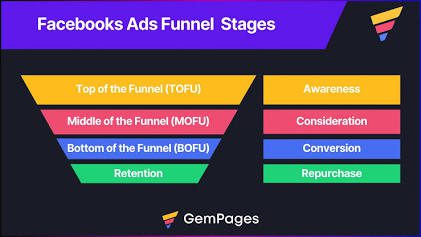
1. You Picked the Wrong Goal for Your Ad
When you set up a Facebook ad, you must pick a goal. Facebook’s system is very smart. It shows your ad to different types of people based on the goal you choose.
- The Mistake: Choosing the “Traffic” goal because it gives you cheap clicks. When you pick Traffic, Facebook shows your ad to people who love clicking links, but almost never buy anything online.
- The Fix: Always set your ad goal to “Sales” or “Leads.” This tells Facebook to show your ad to people who actually buy things online.
2. Your Website is Slow or Hard to Use on Phones
Most people view and click Facebook ads on their mobile phones. If your web page takes too long to open, visitors will leave before they even read your offer.
- The Mistake: Using huge picture files that slow down your site, or tiny words and small buttons that are hard to tap on a phone screen.
- The Fix: Test your website on your phone. Make your picture files smaller using free tools like TinyPNG so your site opens in 2 seconds. Make sure your buttons are big and easy to tap.
3. Your Page Doesn’t Match Your Ad 
Imagine seeing an ad for red shoes with a 50% discount. You click the link, but it takes you to a home page full of shirts and hats instead. You would probably close the page and leave right away.
- The Mistake: Sending ad traffic to your general home page instead of the exact product page promised in your ad.
- The Fix: Send visitors directly to the specific product or service page. Make sure the title, picture, and price on the page match your Facebook ad perfectly.
4. People Do Not Trust Your Shop Yet
People scrolling on Facebook are looking at pictures from friends or watching funny videos. They were not planning to shop. Since they do not know your brand, buying from your site feels risky to them.
- The Mistake: Having a plain website with no customer reviews, no phone number, and no clear return policy.
- The Fix: Build trust on your product pages! Add real 5-star customer reviews with photos, show delivery times, and put your contact details right next to the buy button.
5. Buying Takes Too Many Steps
Even if a customer wants your product, a long and complicated checkout page will make them change their mind and leave without buying.
- The Mistake: Forcing buyers to create a new account with a password, or adding high shipping costs at the very last step.
- The Fix: Let people buy using a simple Guest Checkout without creating an account. Be honest about shipping costs upfront, and keep your form short.
Easy Summary Checklist Why Your Facebook Ads Get Clicks But No Sales (And How to Fix It)
Fixing your Facebook ads is not about getting more clicks—it is about making it easy for visitors to trust you and buy.
- Set your ad goal to “Sales” or “Leads.”
- Make sure your web page opens in 2 seconds on mobile phones.
- Send people to a product page that matches your ad.
- Show real customer reviews to build trust.
- Keep your checkout short and simple. https://commons.wikimedia.org/wiki/Main_Page
)